
Site Settings
Access, sharing, signing, dates and the exported report format
Site Config holds your site's settings. If your site has locations, each location has its own. Most changes save immediately.
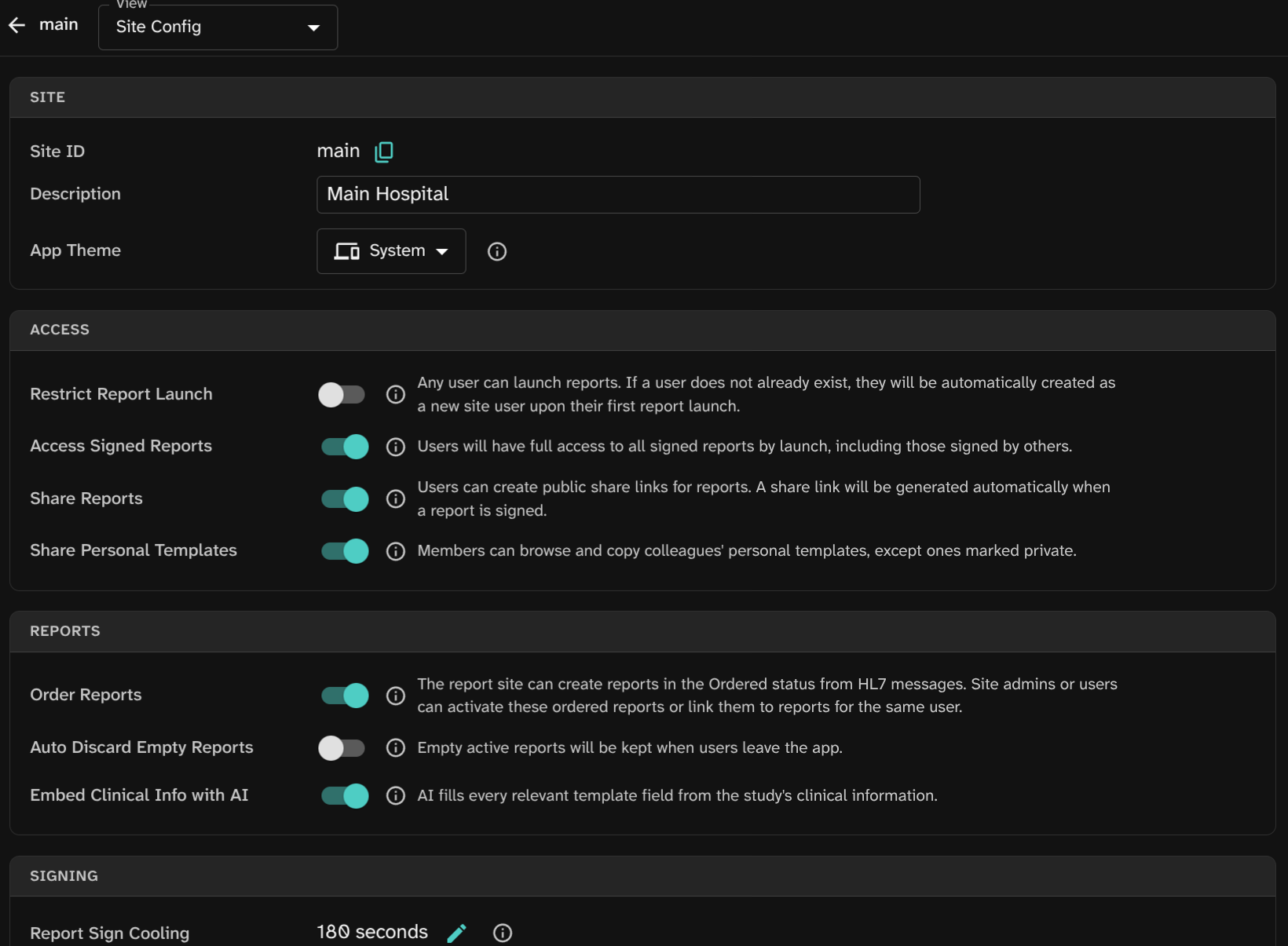
Site
| Setting | What it does |
|---|---|
| Site ID | Your site's identifier, used by your integration. Click to copy. |
| Site Location | The location's identifier and codes, for sites with locations. |
| Description | A name for the site, shown in the site list. |
| App Theme | Light or Dark sets the theme of newly opened reports for everyone, overriding each user's own. System leaves it to each user. |
Access
| Setting | When on | When off |
|---|---|---|
| Restrict Report Launch | Only users you've added can open reports. | Anyone your PACS or RIS opens a report for is added automatically. |
| Access Signed Reports | Users can open all signed reports at the site, and add addenda. | Users can open only their own signed reports. |
| Share Reports | Users can share reports with a link. A link is created automatically for each signed report. | No share links. |
| Share Personal Templates | Users can browse and copy colleagues' personal templates, except private ones. | Personal templates are visible only to their owner and site admins. |
Reports
| Setting | When on |
|---|---|
| Order Reports | Orders received over HL7 create Ordered reports, which users can open or link to another report. |
| Auto Discard Empty Reports | Reports left empty are discarded when the user closes them. Ordered reports return to Ordered. |
| Embed Clinical Info with AI | AI fills every relevant template field from the study's clinical information. When off, it fills only placeholders written into the template. |
Signing
| Setting | What it does |
|---|---|
| Unsign Window | How long users can unsign a signed report or addendum. None makes it final on signing and sends it to your RIS at once. Seconds, from 1 to 3600, sends it when the window closes; the default is 180. No limit sends it at once, and it can be unsigned at any time. |
| Report Sign Actions | Default lets each user choose their own sign actions. Custom sets them for everyone, and users can't change them. |
Date and Time
| Setting | What it does |
|---|---|
| Report Date Format | Default, or Custom formats for the study date and time, order date, signed date and patient birth date. A preview shows each. Reset date formats restores the defaults. |
| Report Time Zone | Locale uses each user's computer time zone. Site uses one time zone you choose for everyone. |
Report export
These settings control how reports look when they're exported or printed. The Clinical Report PDF Preview updates as you change them.
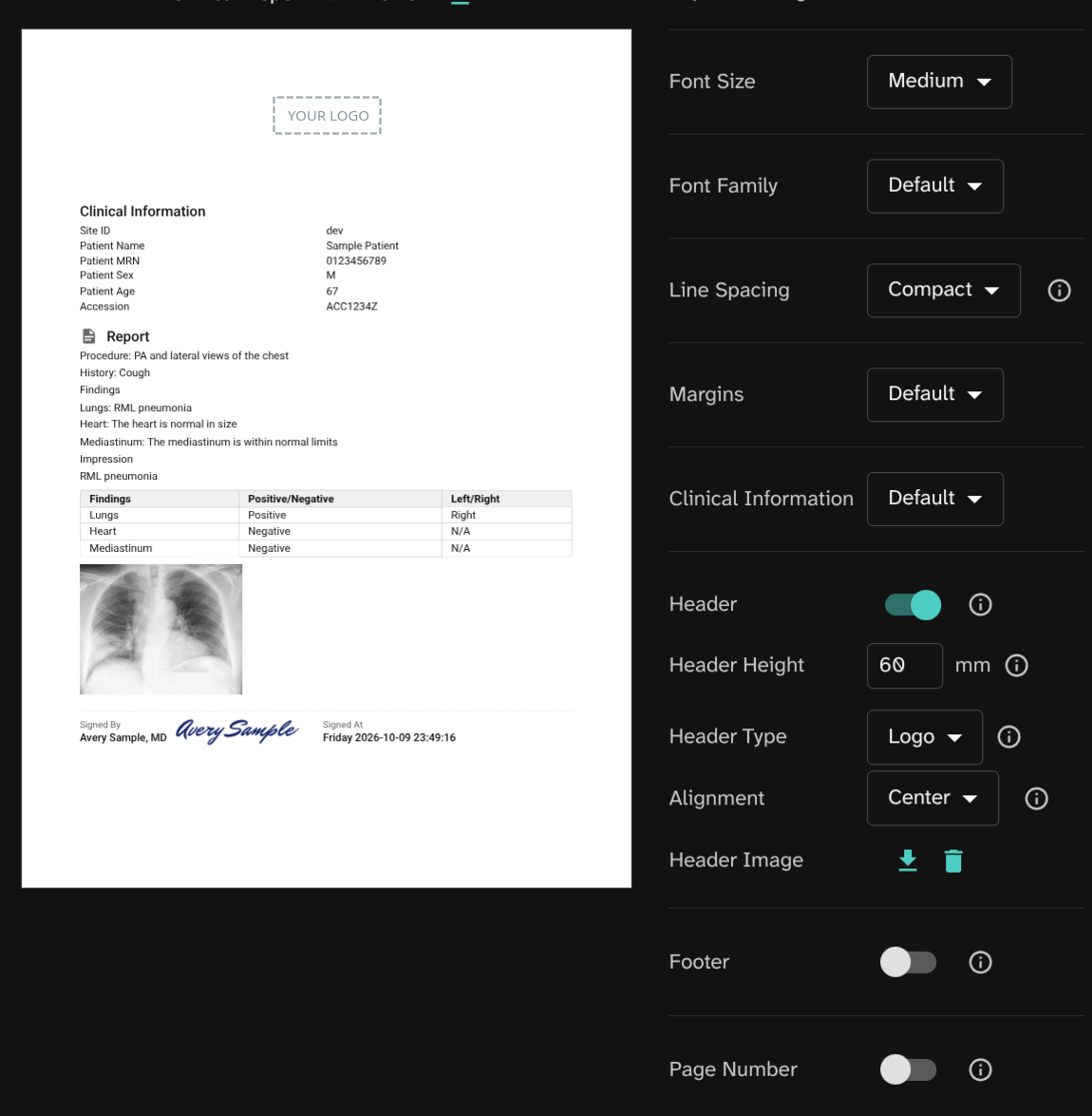
| Setting | Options |
|---|---|
| Font Size | Small, Medium, Large |
| Font Family | Default, or Custom with your own font file (.ttf, .otf, .woff or .woff2) |
| Line Spacing | Compact, Normal |
| Margins | Default, or Custom top, bottom, left and right margins in millimeters |
| Clinical Information | Default, or Custom: choose and reorder the clinical information fields, and repeat them in the header from page 2 |
| Header | A Logo (aligned left, center or right) or a full-width Banner image (.jpg or .png), and the height to reserve for it |
| Footer | A footer image (.jpg or .png), full width or aligned left, center or right |
| Page Number | Page numbers at the bottom right |