
Layout
Show or hide parts of the reporting interface for your site
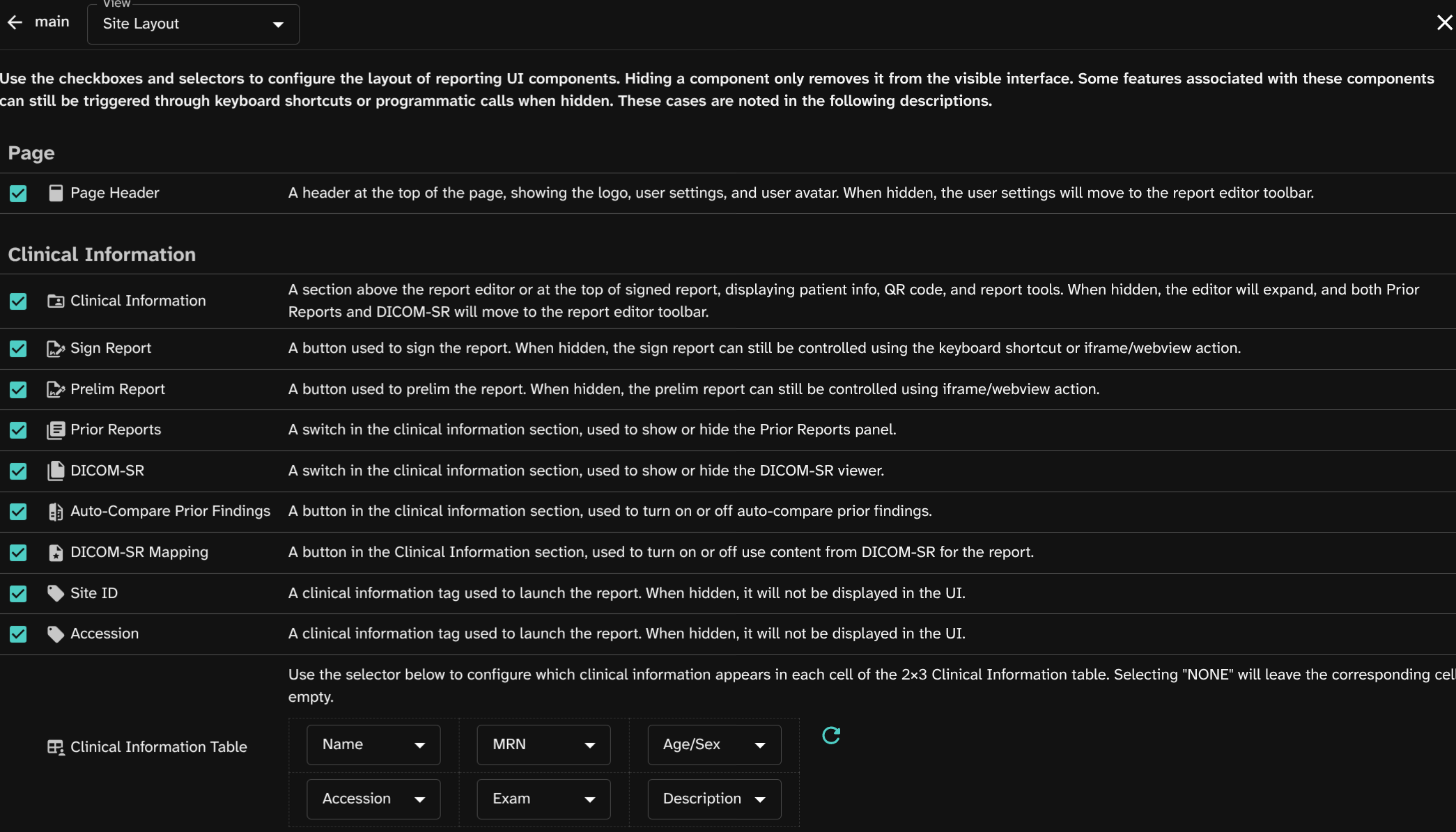
Site Layout lets you simplify MD.ai Reporting for your users by hiding buttons, panels and menu items they don't need. Clear a checkbox to hide that item for everyone at the site or location.
Hiding an item only removes it from the screen, except Image Upload, which is turned off when hidden. Settings behind an item keep their current values; for example, hiding Auto Format doesn't turn auto formatting off. Some hidden buttons, such as Sign Report and Report Recorder, still work with their keyboard shortcuts and through your integration. Each item's description on the page says so.
Page
Page Header: the bar across the top with the logo and User Settings. When hidden, User Settings moves to the report toolbar.
Clinical information
| Item | Hides |
|---|---|
| Clinical Information | The whole clinical information panel |
| Sign Report, Prelim Report | The Sign and Prelim buttons |
| Prior Reports | The Priors switch and prior reports panel |
| Auto-Compare Prior Findings | The button that turns auto-compare on or off |
| DICOM-SR, DICOM-SR Mapping | The DICOM SR list, and the switch to use DICOM SR content |
| Site ID, Site Location, Accession | Those fields |
Clinical Information Table
Choose which six fields the clinical information panel shows, in a 2 × 3 grid, such as Name, PatientMRN, Age/Sex, Accession, Exam and Description. Choose NONE to leave a cell empty, or Reset preview items to restore the defaults.
Signed report
Summary of Findings, Billing Codes, Create Addendum, Cancel Addendum, Sign Addendum, Finalize Now, Export Report and Share Report: the matching buttons and sections on signed reports.
Report editor
| Group | Items |
|---|---|
| Toolbar | Copy Report Text, All Templates, All Macros, All Clinical Guidelines, Report Recorder, Proofread Report, OCR Extraction, Report AI |
| Editor | Image Upload |
| More menu: actions | Export Report, Share Report, Report QR Code, Calculate Volume, Remove Brackets, Discard Draft, Delete Prelim |
| More menu: settings | Audio Player, Auto Format, Impression Numbering, Dictation Follows Cursor, Auto Template Insertion |
| More menu: libraries | My Stats, User Reports, User Templates, User Macros, User Clinical Guidelines, User Procedure Codes |
| More menu: panels | Prior Reports, DICOM-SR. Shown only when the matching switch in the clinical information panel is hidden, or on a phone. |