Collaborate and Sync
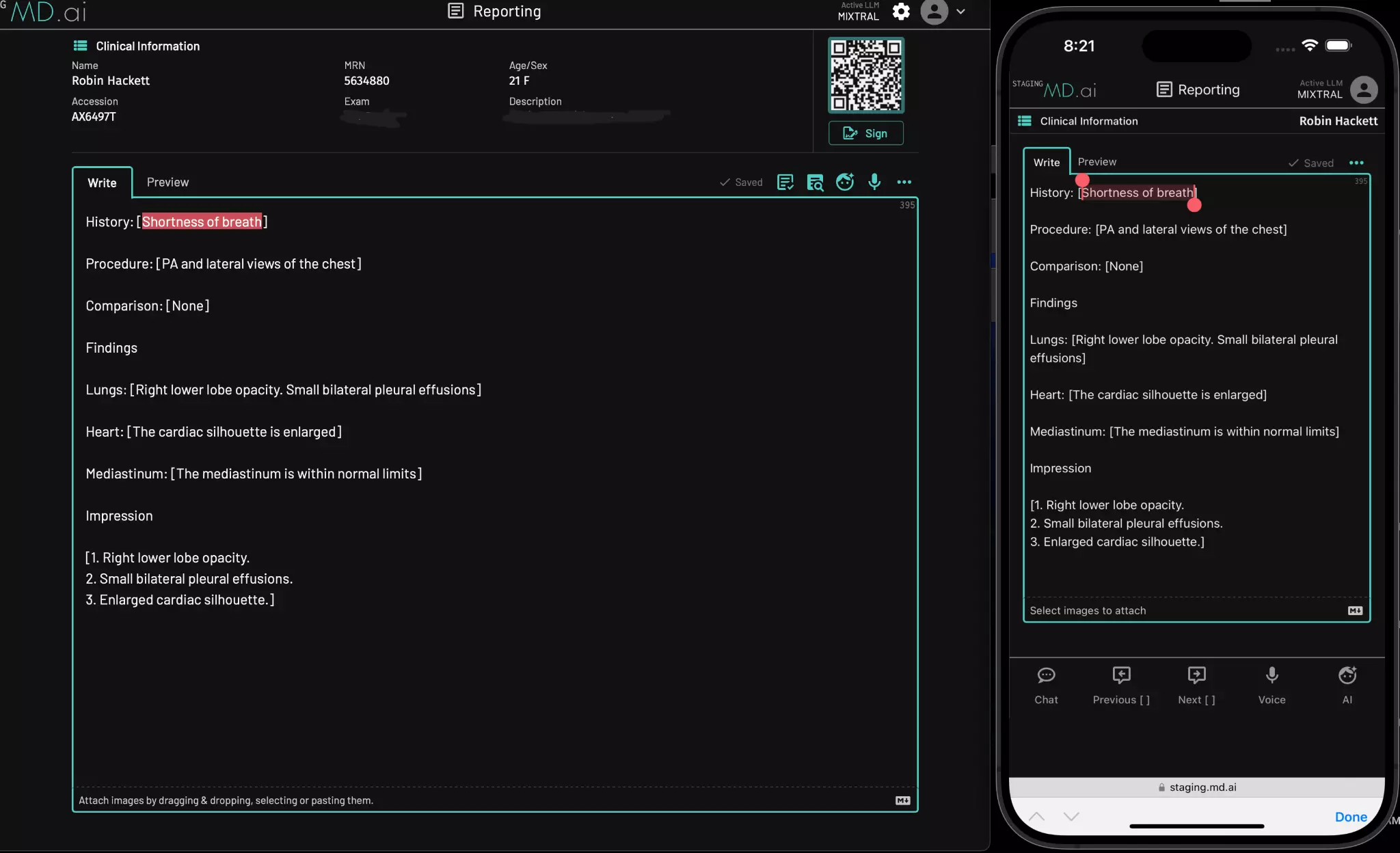
Take over a colleague's draft, and work on a report from another computer or your phone
Take over a draft
Unsigned reports can change hands, for second opinions or transcriptionist workflows. For a structured review step, use prelim reports instead.
- The first radiologist closes the report without signing. The draft is saved.
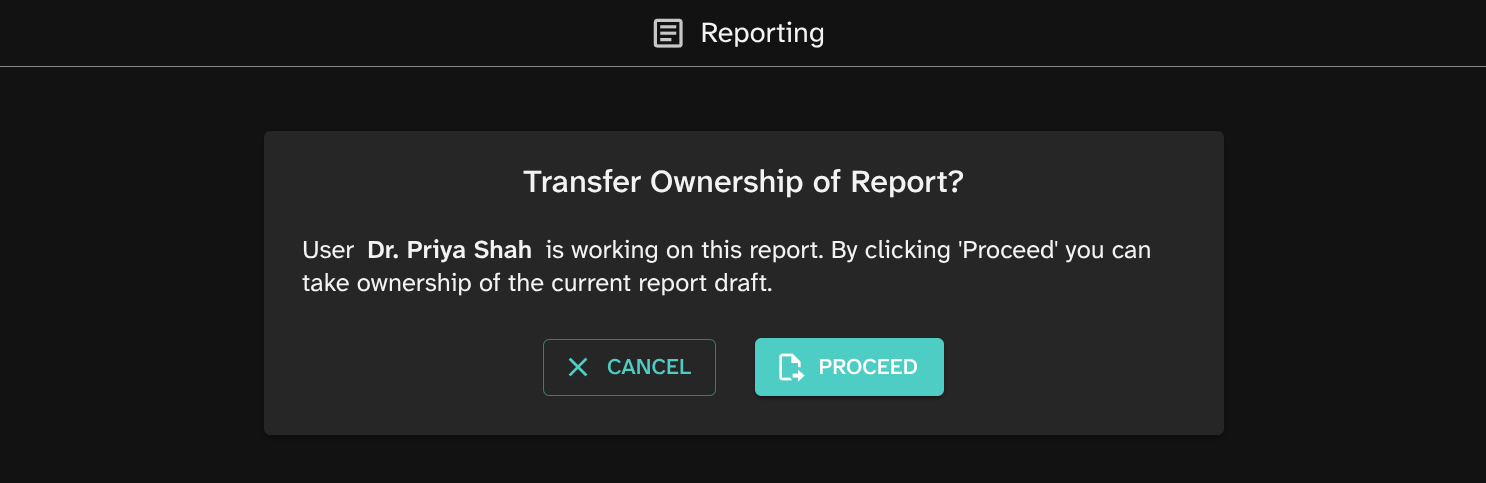
- A colleague at the same site opens the same study from their worklist. They're asked Transfer Ownership of Report?
- They click Proceed and continue the draft. The first radiologist is told the report was transferred.
The new owner can sign the report, or close it so someone else can take it over.
Signed reports can't be taken over. If your site allows access to signed reports, colleagues can open them and add addenda.
Sync a report to another device
Open the report you're working on in another browser, such as on your phone or a second workstation. Changes on either appear on both in real time.
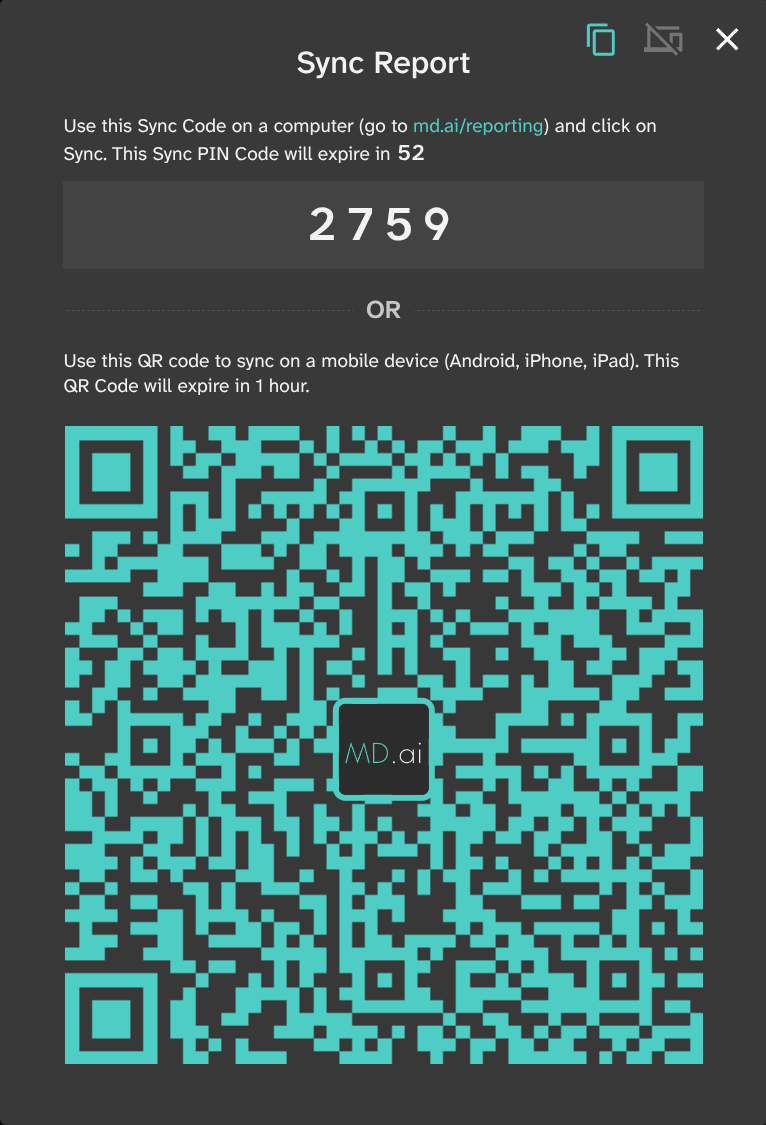
Click the QR code in the clinical information panel, or Report QR code… in the More menu (Alt+Q).
| To open the report on | Do |
|---|---|
| A phone or tablet | Scan the QR code with the camera. The code works for 1 hour. |
| Another computer | Go to MD.ai Reporting and click Sync at the top, or Sync Report in the side navigation if you're signed in. Enter the 4-digit PIN shown in the dialog; it changes every minute. |
Follow your next reports
A synced device follows you: when you open the next study from your worklist, it opens there too. The indicator shows Synced, click to disconnect. To stop, click it, or Click to disconnect synced devices.
Use your phone as a microphone
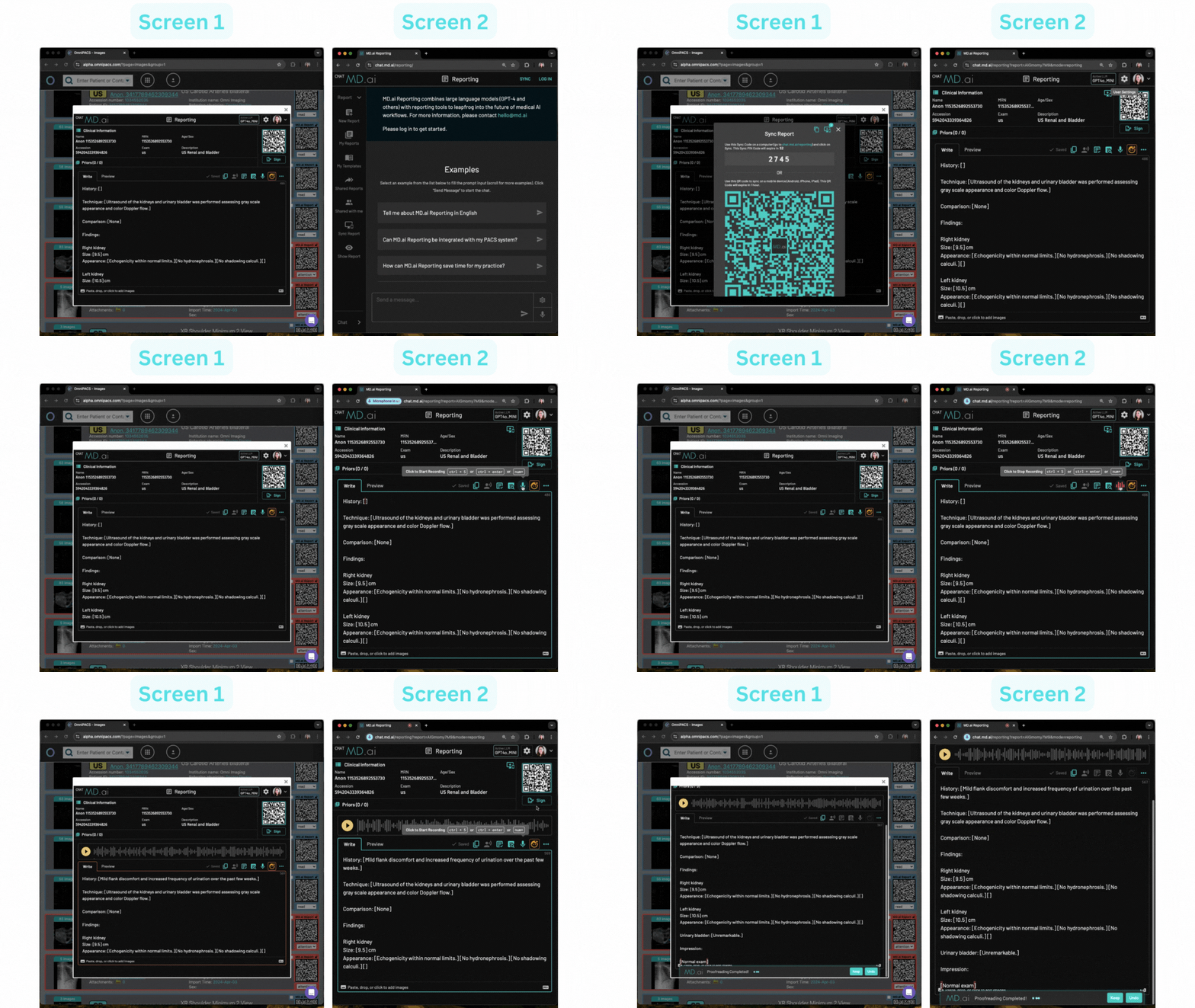
Dictate into your phone while you edit on your workstation.
- Sync the report to your phone by scanning the QR code.
- On your phone, open the More menu and tap Microphone view.
- Tap the microphone to dictate, and tap again to stop.
Your words appear on the workstation as you speak.