
Find Reports
Find your past reports, look up prior reports, and see your stats
My Reports
To see the reports you've written, click My Reports in the side navigation of the full web app, or Reports under My library in a report's More menu. Click a report to open it.
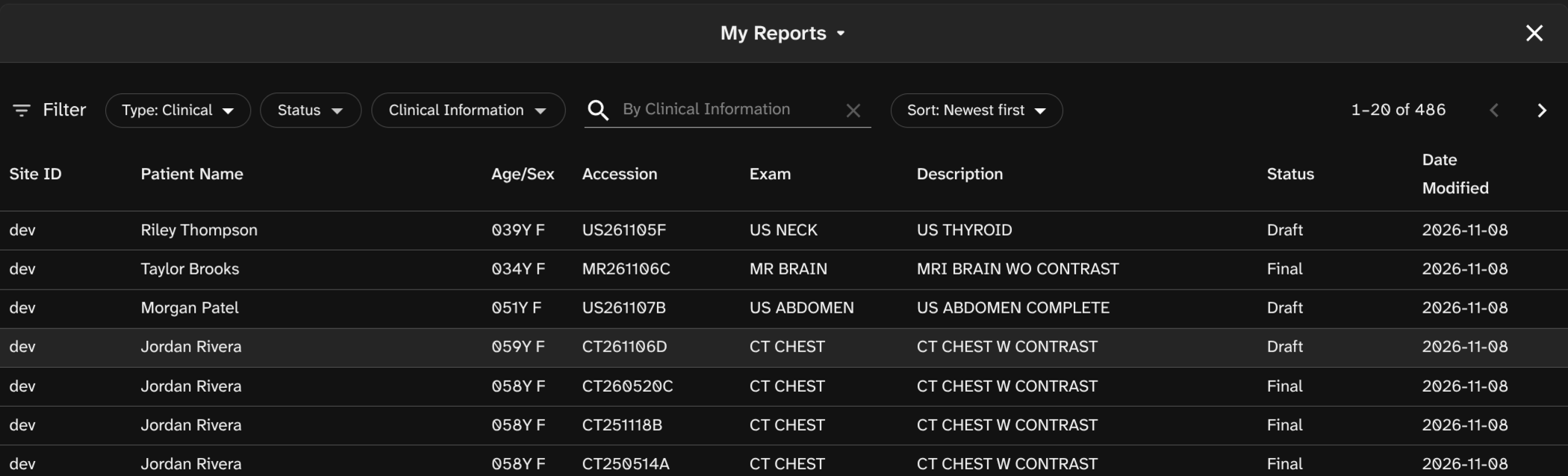
- Type: Clinical reports were opened from your PACS or RIS. Standalone reports were started with New Report.
- Status: Draft, Preliminary, Final or Addendum.
- Search by clinical information, such as patient name, MRN or accession.
- Sort by date (signed, or created if unsigned) or by last modified.
A signed report waiting to be sent shows the time left to unsign it.
Prior reports
When you open a report, MD.ai Reporting finds the patient's previous reports. Turn on Priors in the clinical information panel to see them, with the number found.
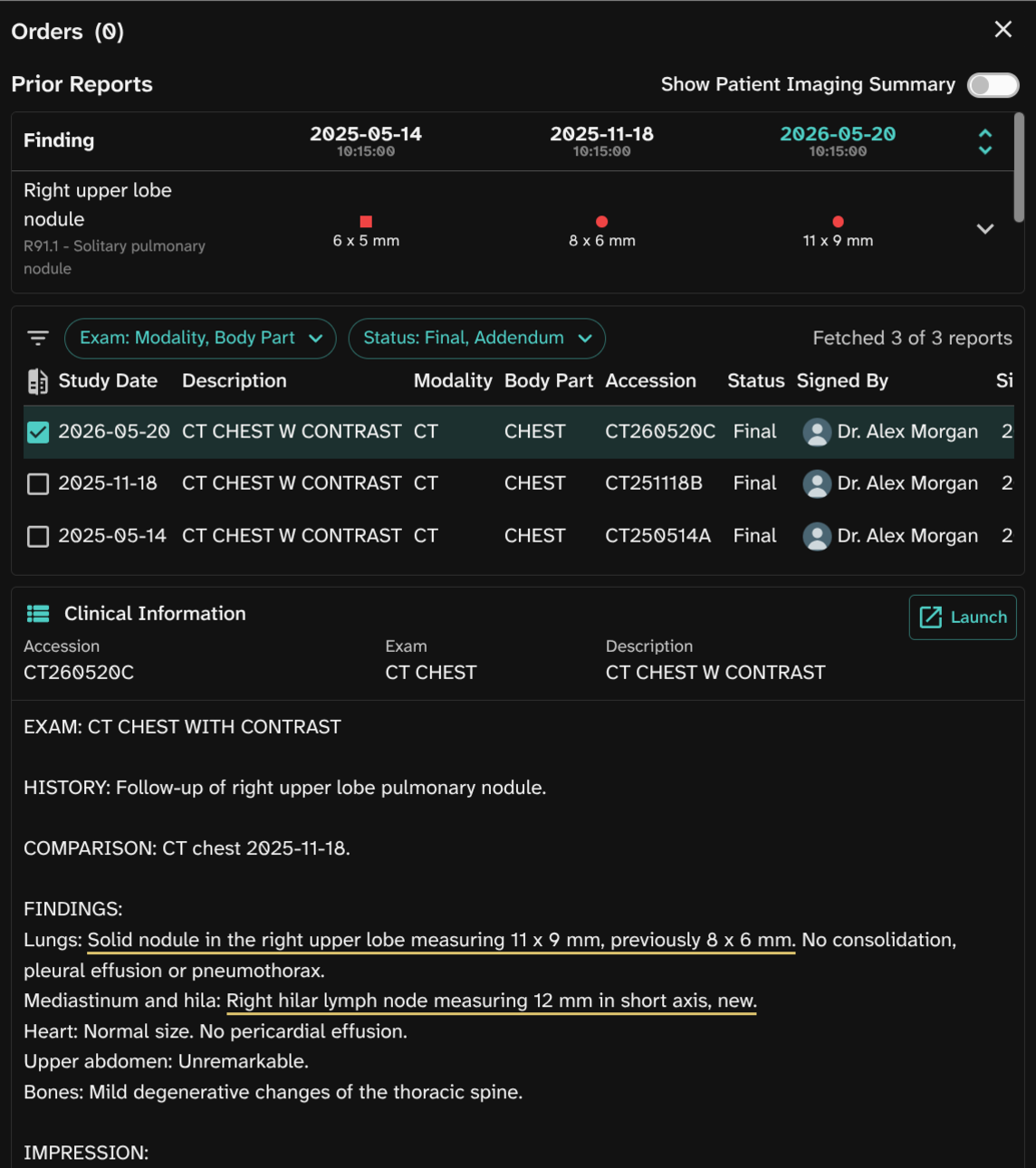
- Filter by exam (Modality, Body Part) and Status.
- Click a prior to read it, or Launch to open it.
- Choose which priors AI compares with under Selected Reports for Auto-Compare. See Compare with prior reports.
- Turn on Show Patient Imaging Summary to see findings across priors on a body map.
You can open your own prior reports, and colleagues' reports if your site allows access to signed reports.
My Stats
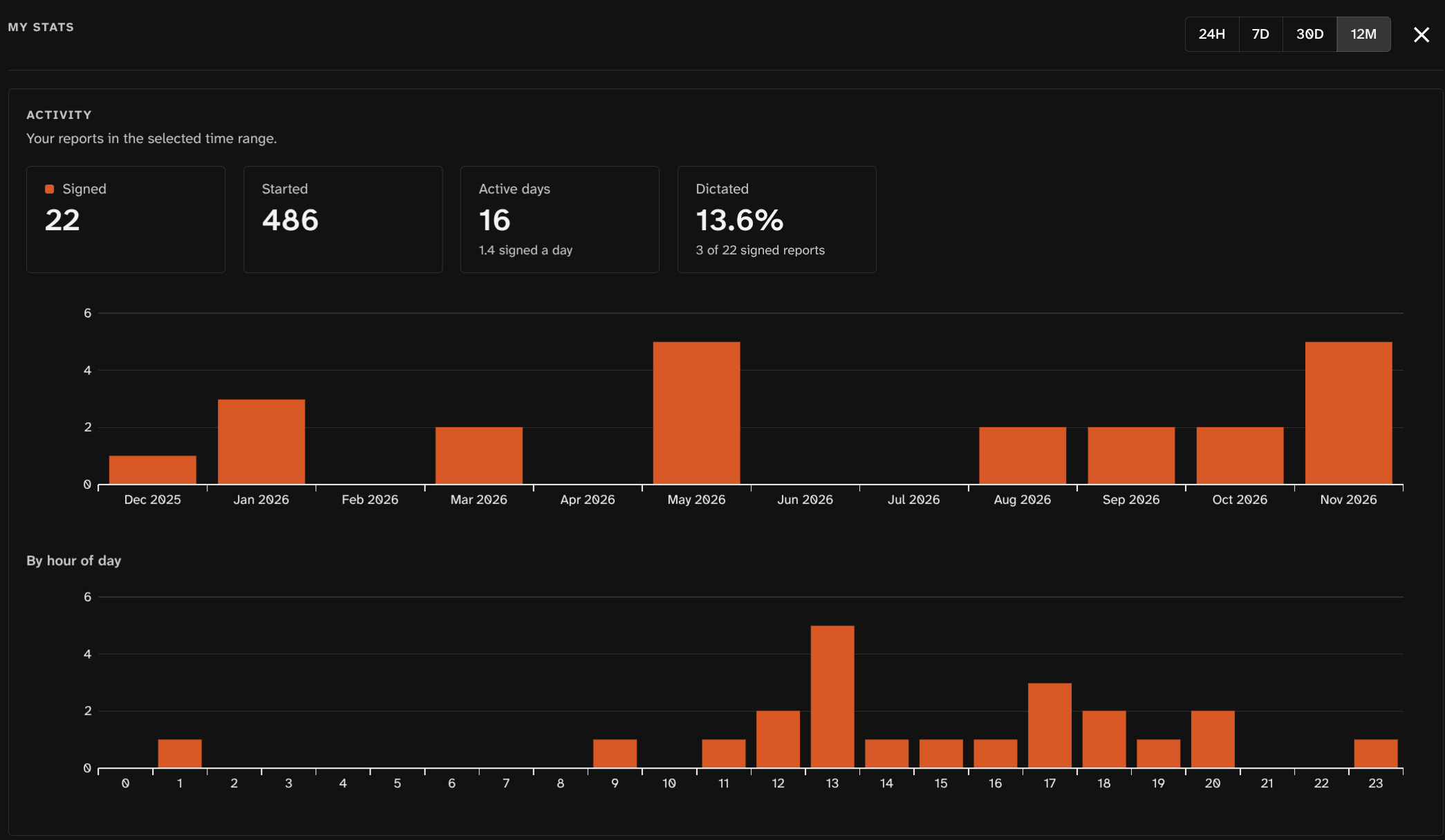
Click My Stats in the side navigation, or Stats under My library in a report's More menu, to see your own reporting at a glance. Choose a range at the top: the last 24 hours, 7 days, 30 days or 12 months.
| Section | Shows |
|---|---|
| Activity | Reports signed and started, active days, and how many you dictated, by date and hour. |
| The past year | A calendar of the days you signed reports, and your streaks. |
| Turnaround | Median and 90th percentile time from draft to signature. |
| Study mix | Your most frequent templates, body parts and studies, with their turnaround. |
| AI assistance | How often you used AI features. |
Shared reports
- Shared Reports lists the share links you've created. Click Edit Share Settings to change one.
- Shared with me lists share links you've opened.