
Prelim Reports
Send reports for review as prelims, and review prelims from others
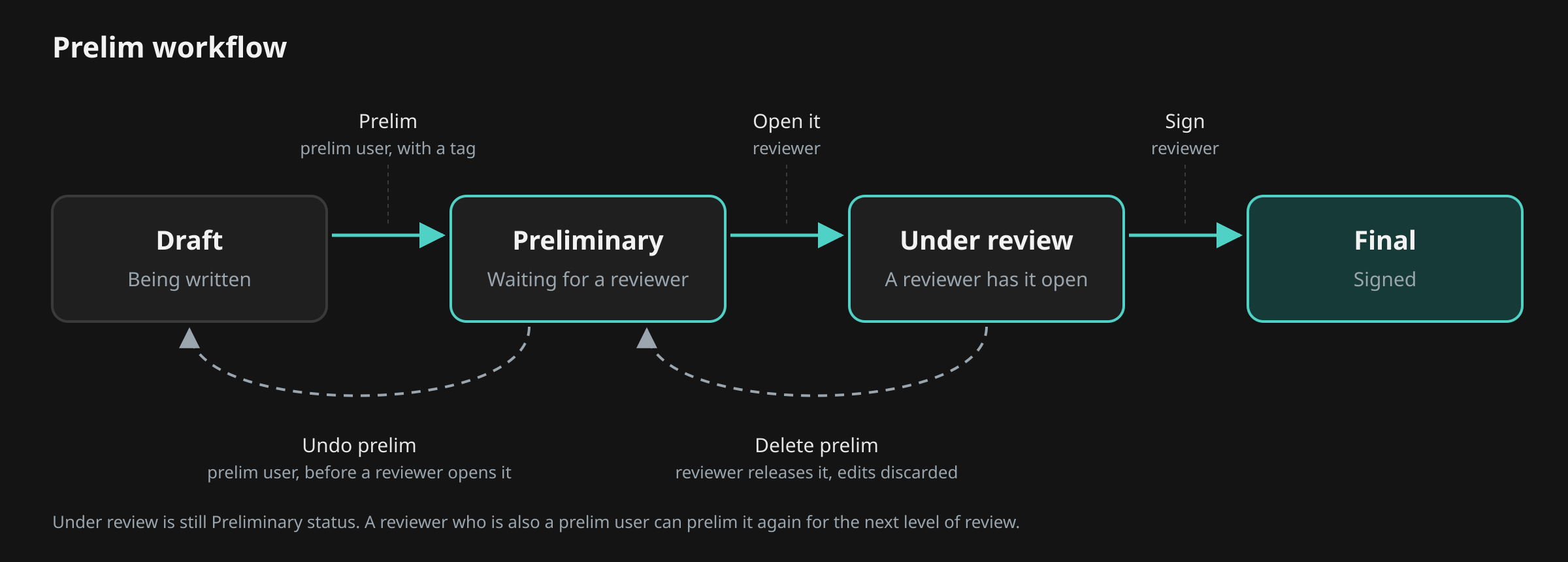
A prelim is a preliminary report written by one person, such as a resident, assistant or transcriptionist, for another, such as an attending, to review and sign. Site admins set up who can prelim and who reviews.
Send a report as a prelim
If you're a prelim user, the button in the clinical information panel has a menu with Sign and Prelim. It starts on Prelim, and then remembers your choice.
- Write the report.
- Choose Prelim and click it.
- If you have more than one prelim tag, choose a Prelim Tag, such as the reviewing team or urgency, and confirm.
The report becomes Preliminary and appears in reviewers' prelim lists.
Undo a prelim
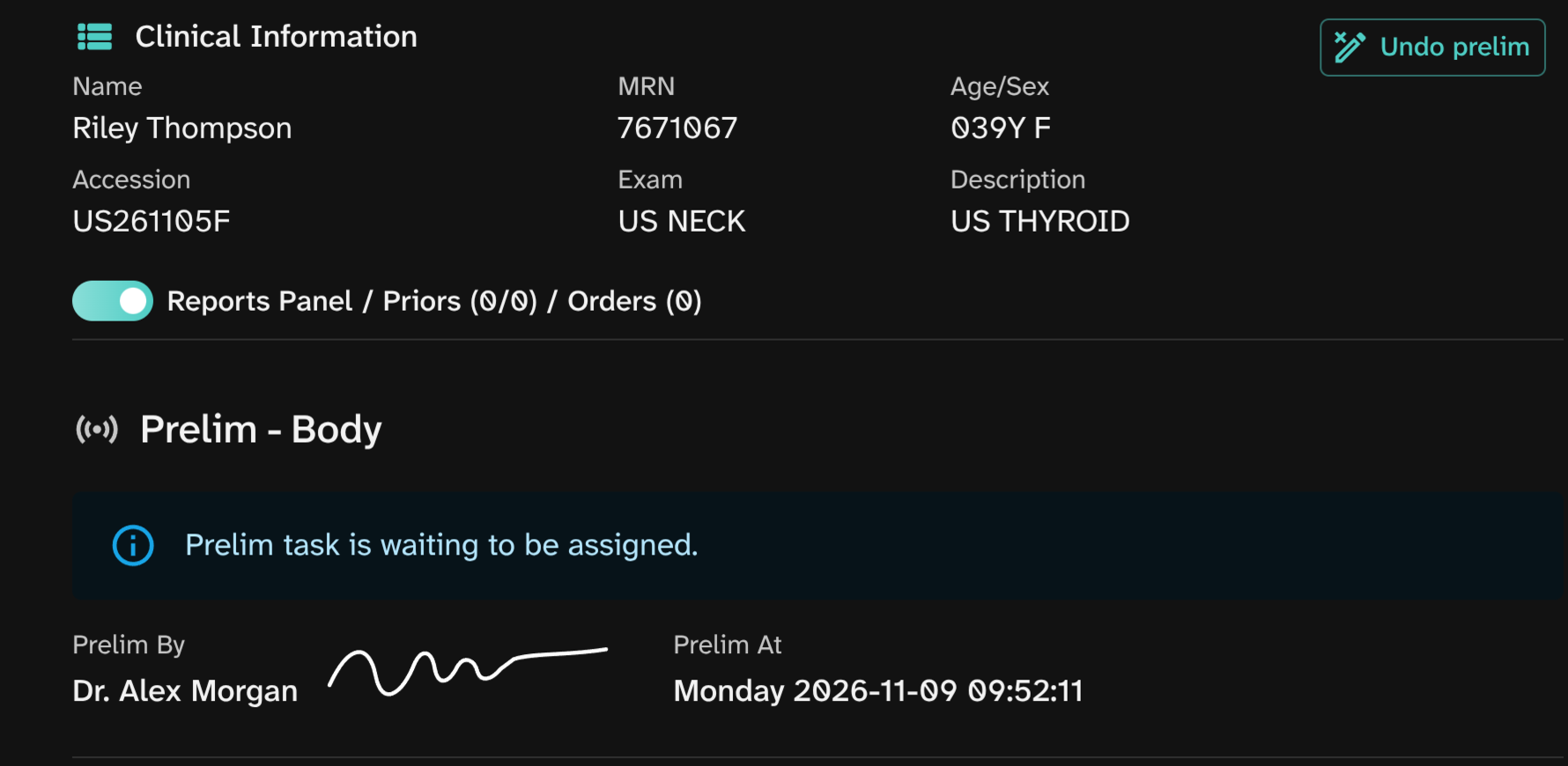
Until a reviewer opens it, you can take a prelim back: click Undo prelim. The report returns to draft, or to the previous review level if it had already been reviewed once.
Review a prelim
If you're a prelim reviewer, Prelim Reports appears in the side navigation of the full web app. It lists prelims waiting for review, with their tag, author, date and who is reviewing them. You can also open a prelim study from your worklist as usual.

- Filter by Prelim Tag, or search by clinical information. Your filter is remembered.
- Click Launch prelim to open one, or open the study from your worklist.
Opening a prelim makes you its reviewer. Edit it as needed, then Sign it. If you're also a prelim user in another group, you can prelim it again for the next level of review.
The signed report records Prelim By and Reviewed By. Click Show Reviewed Content on it to compare the prelim with what was signed.
Take over a prelim
If another reviewer has already opened a prelim, you're asked whether to Transfer Ownership of Prelim?. Click Proceed to take it over. The previous reviewer is told it was transferred.
Release a prelim
To hand a prelim back without signing, click Delete prelim… in the More menu, then Discard. Your edits are discarded, and the prelim goes back to its author, as they sent it, waiting for a reviewer.