
MD.ai Annotator
Annotate medical images, build datasets, and run AI models, in your browser
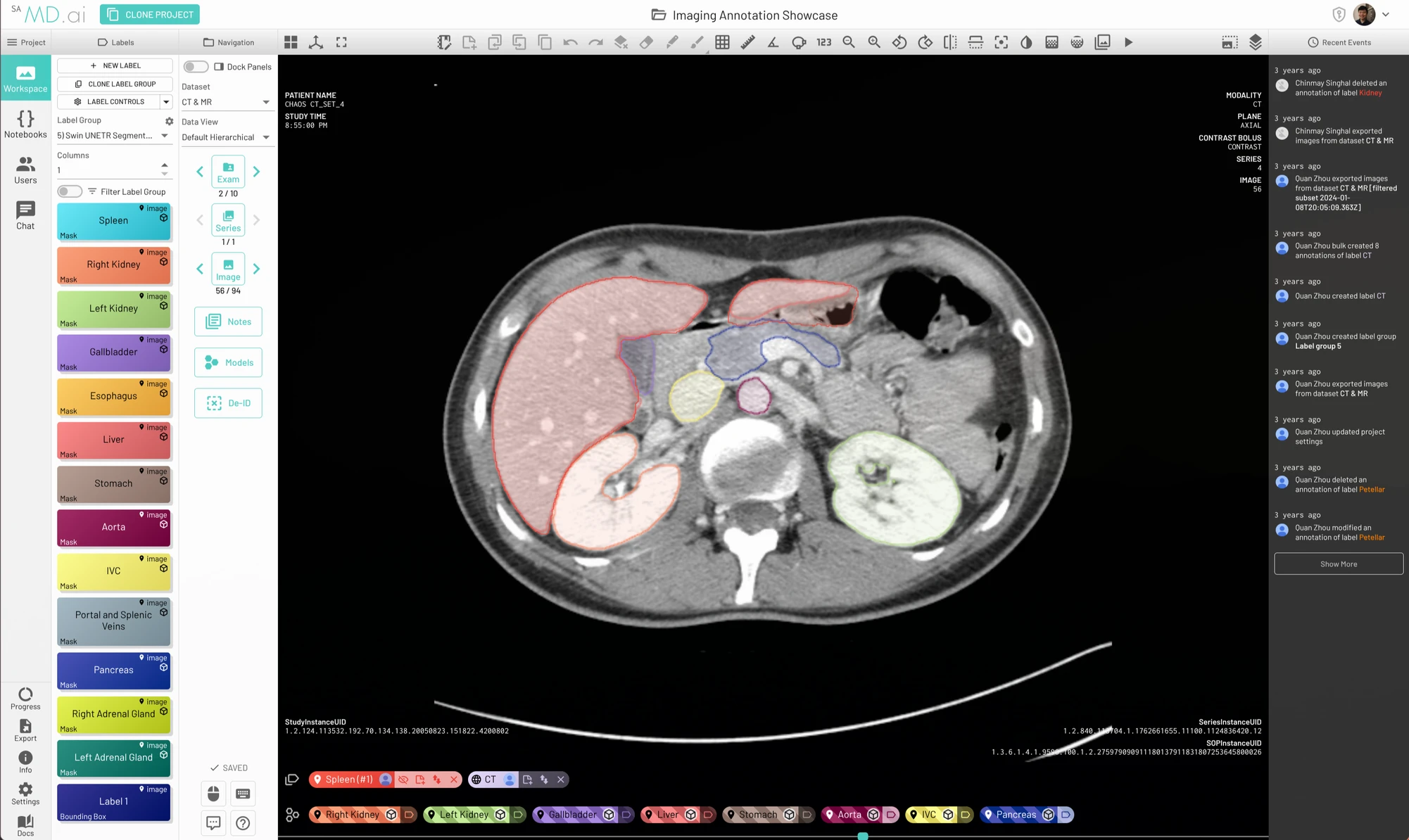
MD.ai Annotator is a web platform for annotating medical images. Teams use it to label DICOM, images and videos for AI training and research, review the results together, and run AI models on their data.
Get started
Quickstart
Open a project and make your first annotations.
Create a project
Set up a project, upload data and invite your team.
Annotate images
Apply labels, draw shapes, and segment with AI assistance.
Export data
Download annotations and images for training.
Key concepts
| Concept | What it is |
|---|---|
| Project | A workspace for one annotation effort: its data, labels, team and models. |
| Dataset | A collection of imaging data in a project, from an upload, a PACS or cloud storage. See Datasets. |
| Exam, series, image | The DICOM hierarchy: an exam (DICOM study) contains series, and a series contains images. Images and videos are wrapped in the same hierarchy. |
| Label | Something to annotate, such as Pneumothorax or Liver. Global labels apply to a whole exam, series or image; local labels are drawn on an image. See Labels. |
| Label group | A set of labels. Restricting users to groups lets several readers annotate the same data independently. See Label groups. |
| Annotation | One use of a label: on an exam, a series, an image, or a region of an image. |
| Role | What a person can do in a project: Reader, Writer, QA or Admin. See Roles. |
| Model | An AI model that runs on your data and produces outputs, which you can review and turn into annotations. See Models. |
What you can do
- Bring in data by uploading in the browser or with the CLI, receiving DICOM from a PACS, or connecting Google Cloud, Amazon S3 or Azure storage. Supports DICOM, JPEG, PNG and common video formats.
- Annotate with boxes, outlines, masks, lines, points and ellipses, AI-assisted segmentation, interpolation across slices, notes and recorded scores.
- View with window presets, multiple synchronized viewers, MPR, hanging protocols and keyboard shortcuts.
- Manage a team with roles, assignments and blinding, and track progress and reading time.
- De-identify data by redacting burned-in text and DICOM tags.
- Run models from the Model Registry or deploy your own, and measure their performance against your annotations.
- Export annotations, images and metadata in the web app or with the Python client.