Keyboard Shortcuts
Every keyboard and mouse shortcut in the annotator
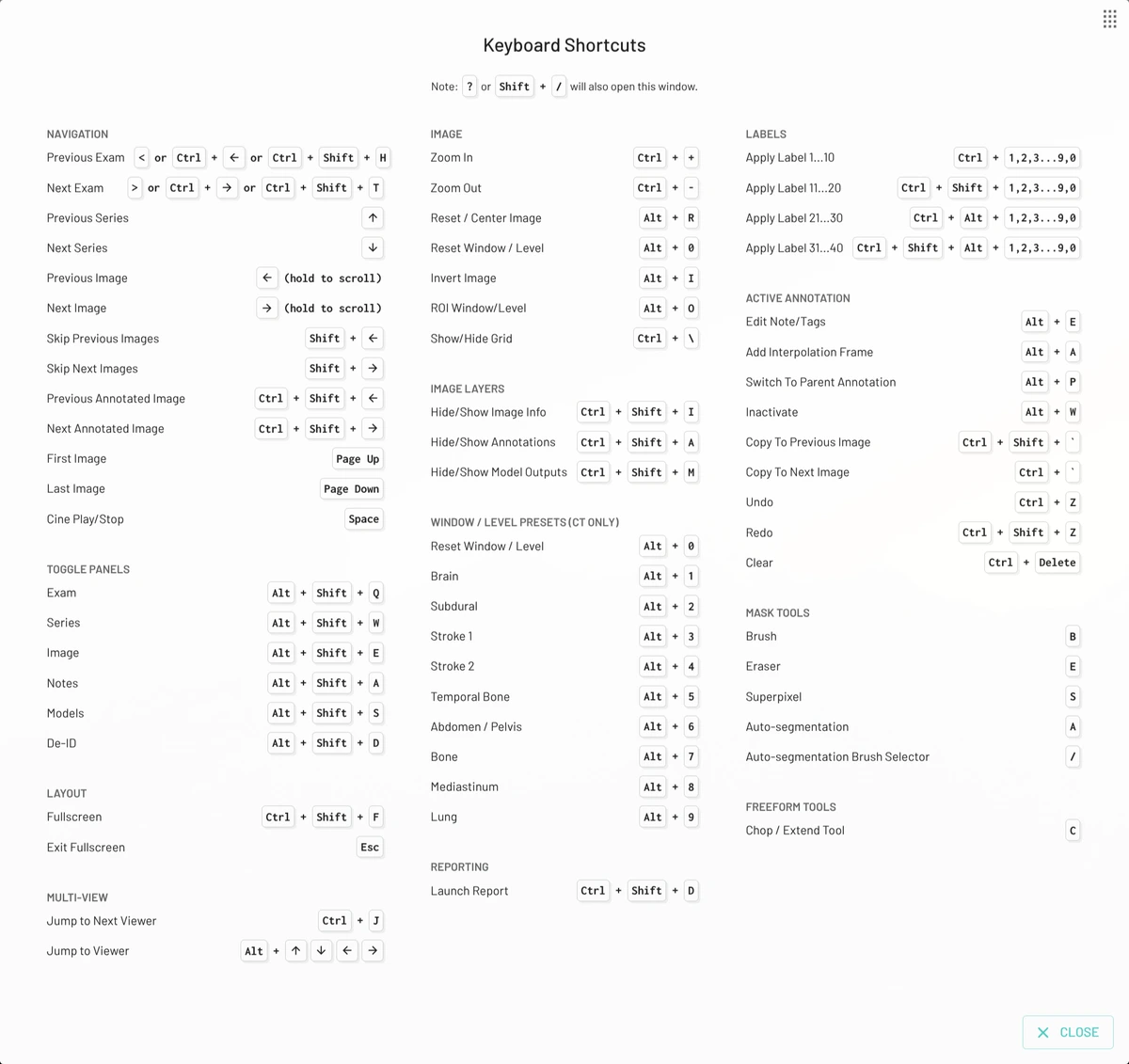
Press ? in the annotator to see the shortcuts for your operating system. In the tables below, Mod is ⌘ on macOS and Ctrl on Windows and Linux, and Alt is ⌥ on macOS. Where a shortcut says Ctrl, use Ctrl on every platform.
Navigation
| Action | Shortcut |
|---|---|
| Previous / next exam | , / ., Mod+← / Mod+→, or Ctrl+Shift+H / T |
| Previous / next series | ↑ / ↓ |
| Previous / next image (hold to scroll) | ← / → |
| Skip back / forward about 10% of the series | Shift+← / Shift+→ |
| Previous / next image with annotations | Mod+Shift+← / Mod+Shift+→ |
| First / last image | Page Up / Page Down |
| Play / stop cine | Space |
| Next viewer | Mod+J |
| Viewer above, below, left or right | Alt+arrow key |
Panels
| Action | Shortcut |
|---|---|
| Show keyboard shortcuts | ? |
| Toggle the Exam / Series / Image list | Alt+Shift+Q / W / E |
| Toggle the Notes / Models / De-ID panel | Alt+Shift+A / S / D |
| Fullscreen | Mod+Shift+F |
| Open or close MD.ai Reporting, where enabled | Ctrl+Shift+D |
| Close a dialog or exit fullscreen | Esc |
Viewing
| Action | Shortcut |
|---|---|
| Zoom in / out | Mod++ / Mod+- |
| Reset and center the view | Alt+R |
| Invert colors | Alt+I |
| ROI window/level | Alt+O |
| Reset window/level | Alt+0 |
| CT window presets | Alt+1 to Alt+9 |
| Show / hide the grid | Mod+\ |
| Show / hide image information | Mod+Shift+I |
| Show / hide annotations | Mod+Shift+A |
| Show / hide model outputs | Mod+Shift+M |
CT presets, in order: Brain, Subdural, Stroke 1, Stroke 2, Temporal Bone, Abdomen/Pelvis, Bone, Mediastinum, Lung. They work on CT series only.
Annotating
These need a role that can annotate.
| Action | Shortcut |
|---|---|
| Apply label 1–10 in the active label group | Mod+1 … Mod+0 |
| Apply label 11–20 | Mod+Shift+1 … 0 |
| Apply label 21–30 | Mod+Alt+1 … 0 |
| Apply label 31–40 | Mod+Alt+Shift+1 … 0 |
| Edit the note of the active annotation | Alt+E |
| Inactivate the active annotation | Alt+W |
| Switch to the parent annotation | Alt+P |
| Add an interpolation frame | Alt+A |
| Copy the active annotation to the next image | Ctrl+` |
| Copy the active annotation to the previous image | Ctrl+Shift+` |
| Undo / redo | Mod+Z / Mod+Shift+Z |
| Clear the active annotation | Mod+Backspace or Mod+Delete |
Label numbers follow the order of labels in the group. Hold Mod to see each label's number. Reorder labels to put the ones you use most within reach.
Mask and freeform tools
These work while a mask or freeform annotation is active.
| Action | Shortcut |
|---|---|
| Brush | B |
| Eraser | E |
| Superpixels | S |
| Auto Segmentation | A |
| Switch between foreground and background points | / |
| Reset the auto-segmentation box | Esc |
| Change brush size | Scroll wheel |
| Chop/Extend (freeform) | C |
Notes
| Action | Shortcut |
|---|---|
Jump to the next / previous [field] | Tab / Shift+Tab |
Mouse
| Action | Mouse |
|---|---|
| Scroll through images | Scroll wheel |
| Window/level | Left-drag |
| Zoom | Right-drag |
| Pan | Middle-drag, or Mod + left- or right-drag |
| Point to the same location in all viewers | Mod+Shift + left-drag |
| Select an annotation | Shift + click it |