
Multi-Planar Reconstruction (MPR)
View a volumetric series in axial, sagittal and coronal planes
MPR reconstructs a series acquired in one plane into the other two. For example, an axial CT can be viewed in sagittal and coronal planes as well.
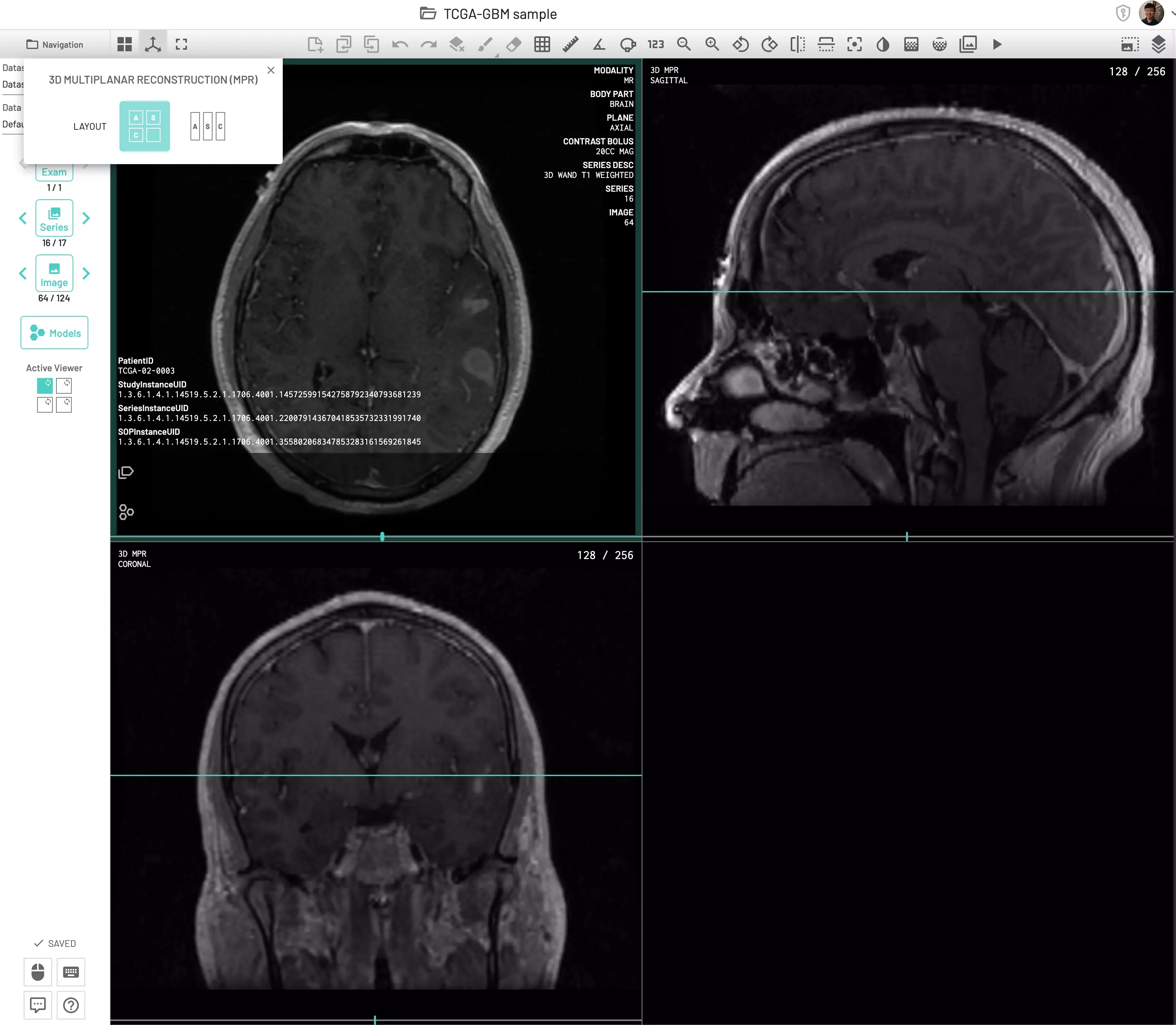
Open MPR
- Select a series with at least 3 images. MPR isn't available for videos.
- Click
3D Multiplanar Reconstruction (MPR)in the toolbar. - Choose a layout:
2x2or1x3.
The first viewer shows the original series, and the others show the reconstructed planes. All viewers are synced, with reference lines showing where the planes intersect. In 2x2, the fourth viewer is empty.
Projections
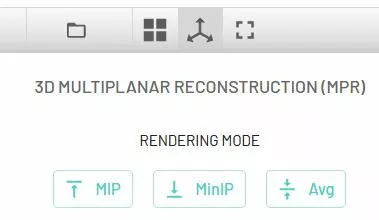
With an MPR viewer active, open the MPR menu again to choose a projection:
| Projection | Shows |
|---|---|
MIP | Maximum intensity, e.g. for vessels |
MinIP | Minimum intensity, e.g. for airways |
AvgIP | Average intensity |
Set the Slab Thickness (mm), from 0.1 to 100 (default 10), to choose how much of the volume is projected. Click Reset to return to a plain slice.
Limitations
- Only axial, sagittal and coronal planes are available, not oblique planes.
- Reconstructed viewers don't show annotations or model outputs, and you can't annotate in them. Annotate in the viewer with the original series. Measurement tools work in every viewer.